
How to block YouTube on iPhone
YouTube's autoplay and Shorts make it hard to stop. Compare every way to block YouTube on iPhone — and which one survives a tired brain.
You opened YouTube to look up a recipe. Forty minutes later you’re watching a documentary about submarine cables. This isn’t discipline failure — it’s a product designed to never let you leave.
Here’s how to actually block YouTube on iPhone.
Built-in options
App Limits
Cap YouTube at 0–15 minutes daily. Same weakness as every Screen Time limit: “Ignore Limit” is always there.
Restrict YouTube in Safari
Settings → Screen Time → Content & Privacy → Content Restrictions → Web Content → Limit Adult Websites
This blocks explicit sites, not YouTube. To limit youtube.com in Safari you’d need a dedicated web filter or a focus app that blocks website domains alongside apps.
Guided Access
Locks the phone to a single app. Useful for handing your phone to a kid, not for blocking YouTube on your own device.
The Shorts problem
Even with the main app blocked, YouTube Shorts lives inside the YouTube app — there’s no separate icon to limit. Blocking “YouTube” in Screen Time catches the whole app including Shorts.
The Safari loophole: m.youtube.com still works unless you block the domain. A proper block list should include both the app and youtube.com.
Focus-based blocking (what works)
Unbound lets you block:
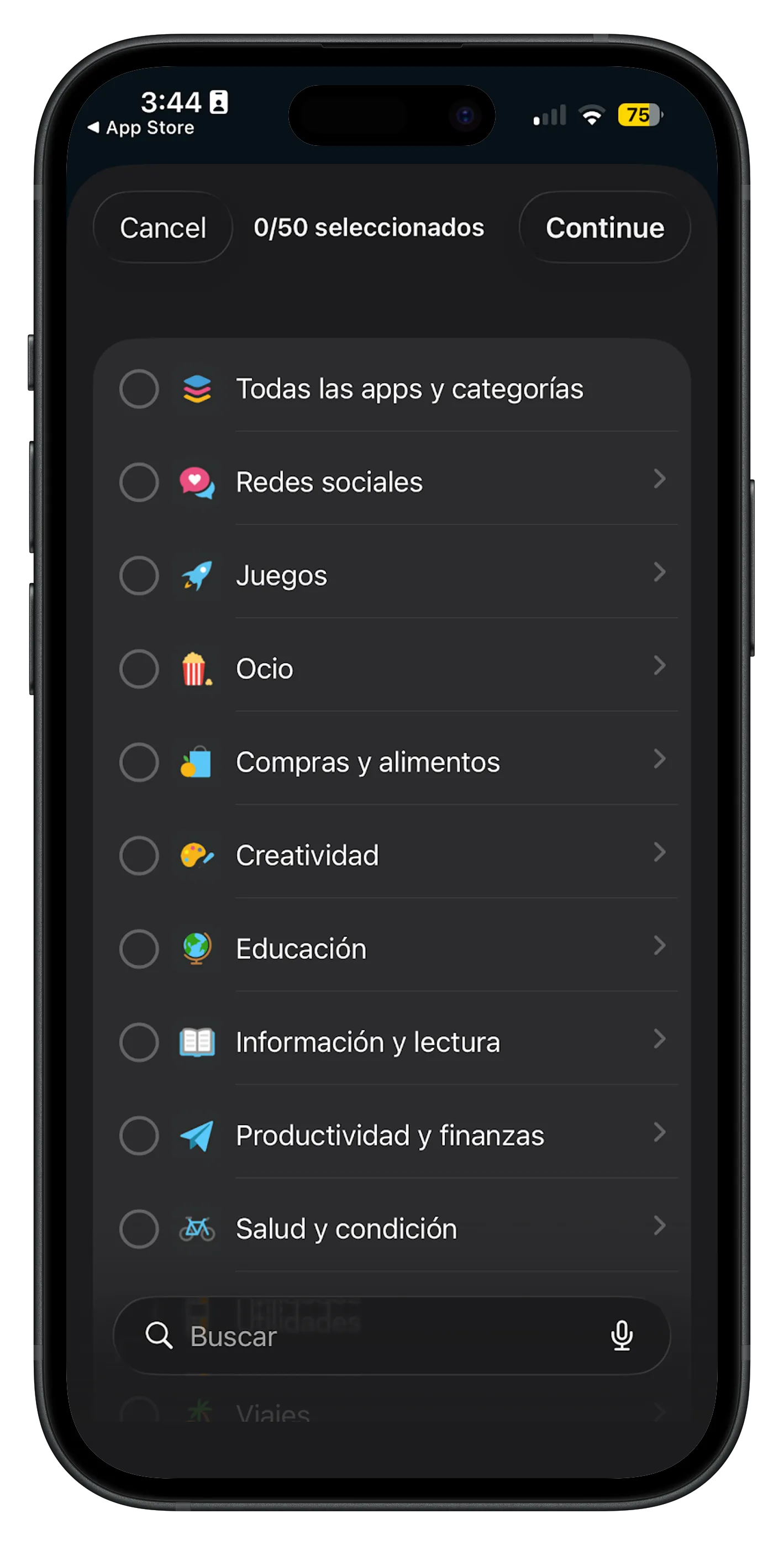
- The YouTube app via Screen Time app picker
- youtube.com and related domains in custom block lists
- Entire Entertainment categories during focus windows
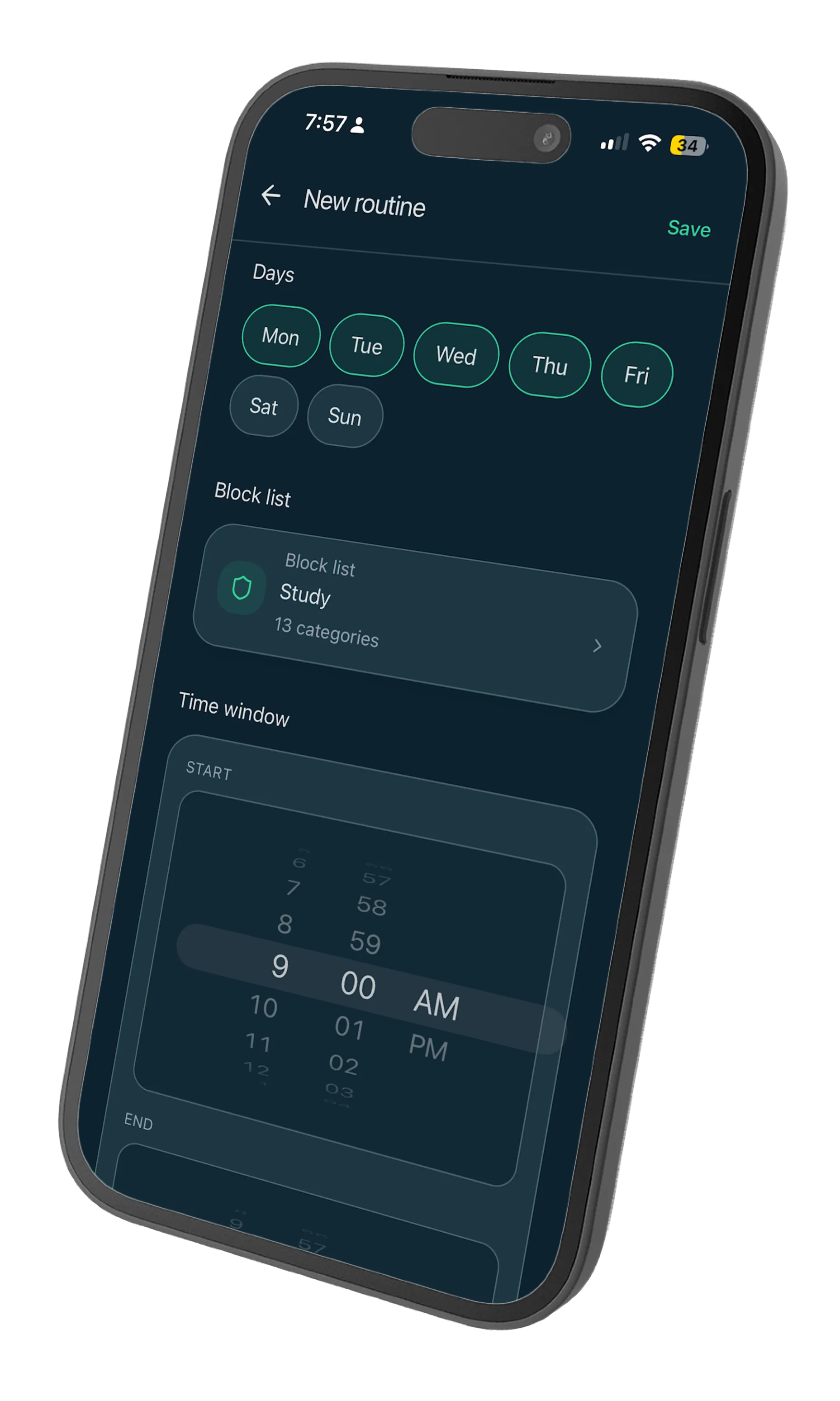
Schedule a routine for your danger zones — late night, Sunday afternoon, procrastination hours before a deadline — and YouTube simply won’t load.
Comparison: soft vs hard blocks
Soft block (App Limit, reminder notifications): You choose to ignore it hundreds of times.
Hard block (system shield during focus): The app opens to a grey screen. Continuing requires ending the session — a bigger decision than tapping “Ignore.”
When you’re tired, only hard blocks survive.
Practical setup
- Add YouTube to a block list with any other “autoplay traps” (Netflix, Twitch, etc.).
- Create a bedtime routine: 10 p.m. to 7 a.m., every day.
- Create a deep work routine: weekdays, 9 a.m. to 12 p.m.
Two routines cover 80% of accidental YouTube spirals. Adjust from there.