
How to block TikTok on iPhone
TikTok is engineered to reopen itself. Here's how to block it on iPhone — native Screen Time options and system-level focus blocking.
TikTok might be the hardest app to quit on iPhone. The algorithm adapts in real time, autoplay removes every stopping point, and “just one more” doesn’t exist.
Blocking it properly means going below the app icon — to the OS layer where bypassing requires real friction.
Method 1: Screen Time App Limit
Settings → Screen Time → App Limits → Entertainment → TikTok
Works for light users. Power users tap “Ignore Limit” within seconds. Combine with a Screen Time passcode (Settings → Screen Time → Use Screen Time Passcode) that you don’t know — give it to a partner or use a random string stored in a password manager.
Method 2: Remove TikTok from your Home Screen
Long-press → Remove App → Remove from Home Screen. TikTok stays installed but harder to reach.
Honest assessment: you’ll find it through Search or Siri. This is a speed bump, not a block.
Method 3: Block TikTok during specific hours
iOS Downtime blocks all non-whitelisted apps on a schedule. Better than nothing for bedtime or study blocks.
The gap: Downtime is all-or-nothing. You can’t easily run “block TikTok + Instagram but keep Maps and Messages” without micromanaging whitelists in Settings.
Method 4: System-level blocking with Unbound
Unbound uses Apple’s Screen Time / Family Controls APIs to block apps at the system level during focus sessions:
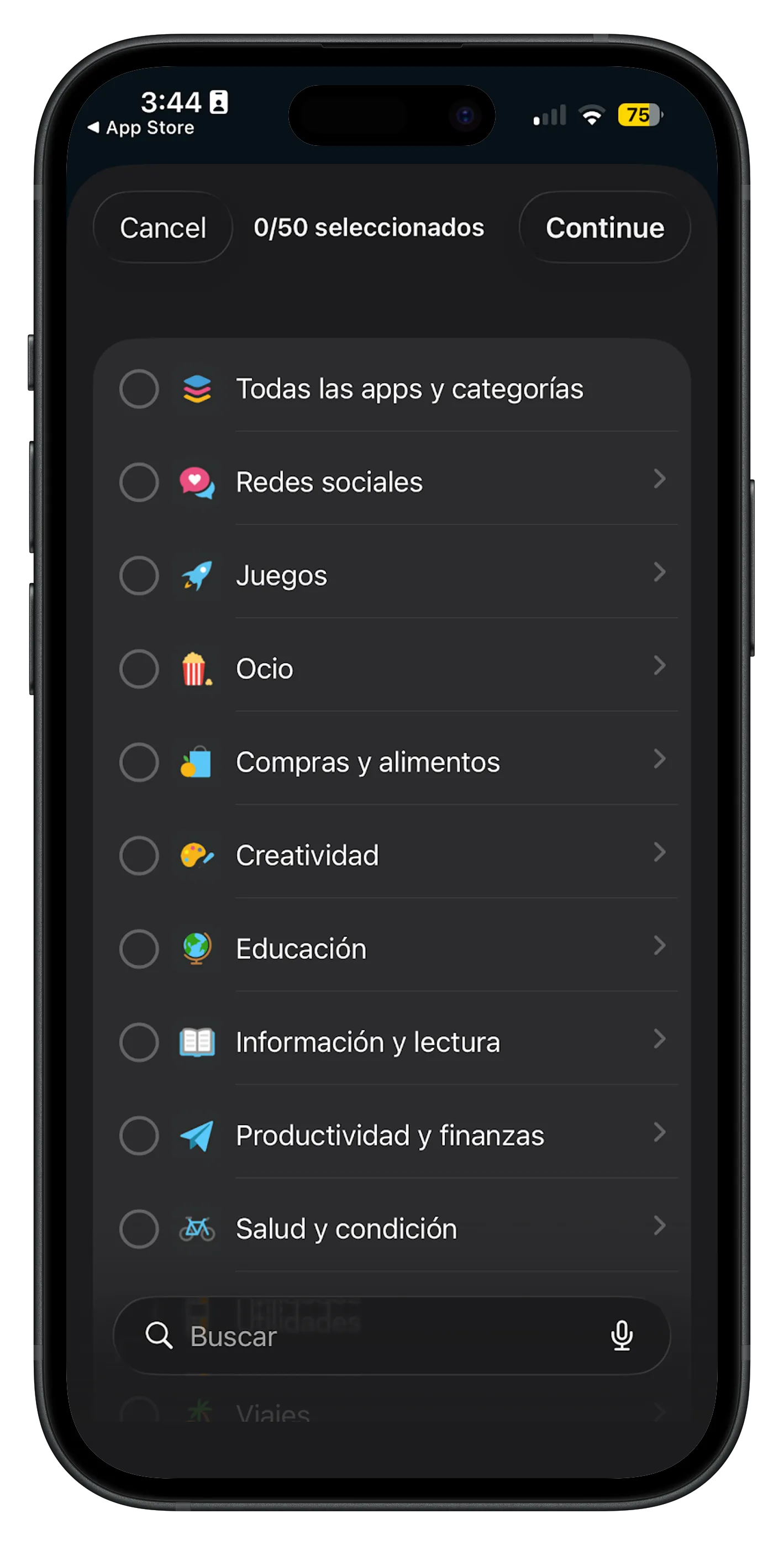
- Manual sessions — tap once, TikTok is shielded until you end the session.
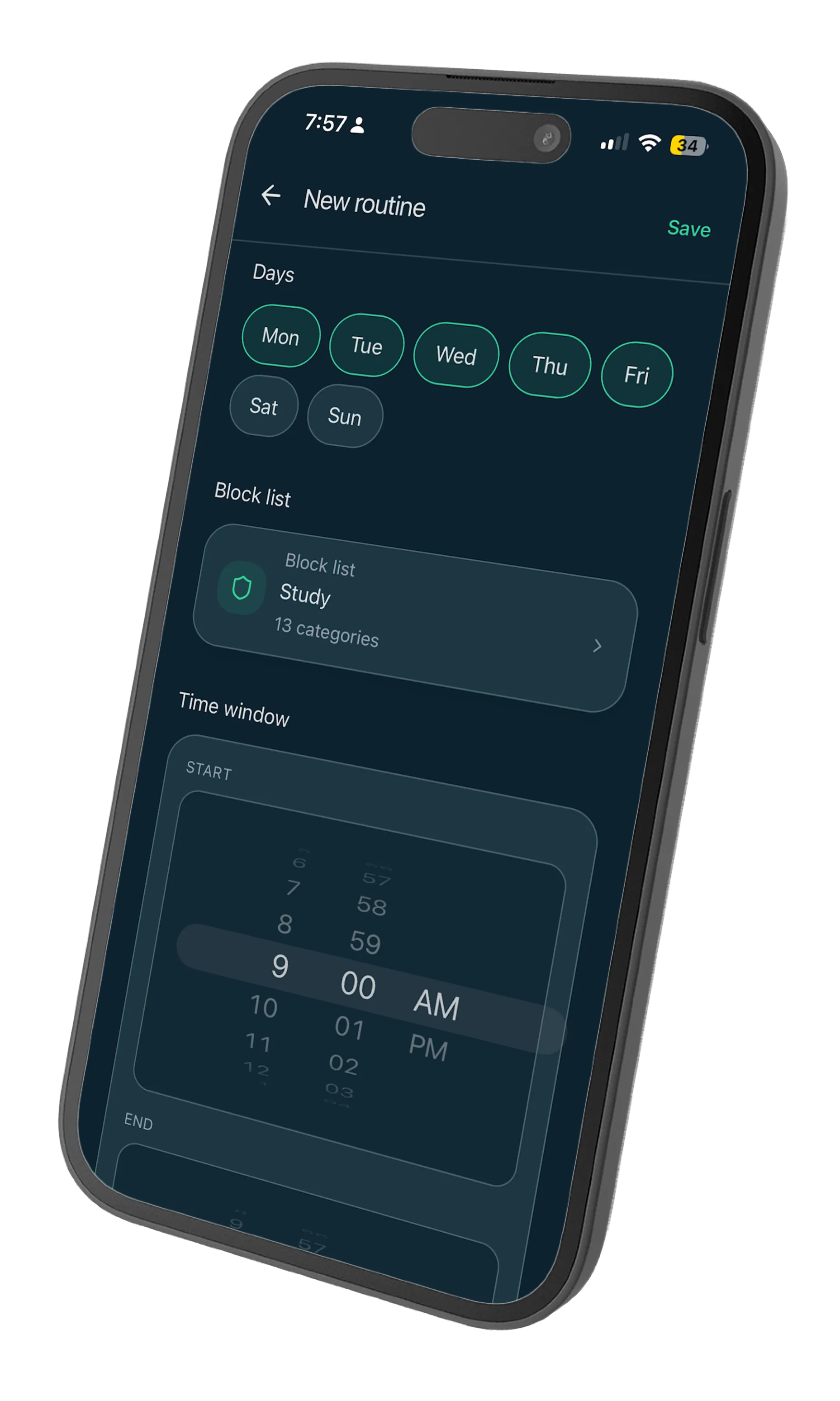
- Scheduled routines — block TikTok automatically during work hours, gym time, or wind-down.
- Category blocks — the Social or Entertainment category catches TikTok plus related apps in one pick.
Because the block lives in iOS itself, switching apps doesn’t help. Notifications still arrive, but opening the app hits the shield.
Why TikTok specifically needs hard blocks
Short-form video trains your brain for novelty every 15 seconds. That’s not a habit you white-knuckle away — it’s a stimulus level your prefrontal cortex wasn’t built to regulate all day.
Environmental blocking works because it removes the loop entirely: trigger (boredom) → behavior (open TikTok) → reward (dopamine). Break the behavior step and the urge fades faster than you’d expect.
Start here
- Pick your highest-risk window — lunch break, after work, before bed.
- Block TikTok (and similar apps) for that window only.
- Run it for five days before expanding.
One protected window beats a failed “delete forever” pledge every time.