

How iOS native blocking helps you quit porn
Why willpower fails, what Apple's Screen Time actually blocks, and how system-level filters support recovery on iPhone — without relying on motivation in the moment.
If you’ve tried to quit porn on iPhone, you probably know the pattern: strong resolve at 9 a.m., full relapse by 11 p.m. That’s not weak character — it’s a depleted brain against infinite, frictionless access.
Recovery tools that work long-term don’t ask you to win every urge. They remove the cue before the urge arrives.
Why “just stop” and soft blockers fail
Most people start with:
- Deleting browser history and promising themselves
- A VPN or DNS filter that’s easy to disable during an urge
- Screen Time limits with an “Ignore Limit” button one tap away
On iPhone, the hard part isn’t finding blockers — it’s finding blocks that survive a tired prefrontal cortex. When dopamine is driving the decision, anything you can undo in five seconds doesn’t count.
Incognito mode, alternate browsers, and “I’ll only peek once” are all the same failure mode: the environment still offers the option.
What iOS already gives you (and where it stops)
Limit Adult Websites (built-in)
Settings → Screen Time → Content & Privacy Restrictions → Content Restrictions → Web Content → Limit Adult Websites
Apple filters explicit sites system-wide in Safari. It’s a real baseline — better than nothing, and it works without a third-party app.
Gaps:
- Easy to turn off in Settings unless you use a Screen Time passcode you don’t control
- Doesn’t block explicit content inside apps (Reddit, X, Telegram, etc.)
- Doesn’t add friction when you’re motivated to bypass it
App Limits and Downtime
Useful for reducing overall phone use. Less useful for porn specifically, because the content often lives across apps and the browser — and limits reset or yield to “Ignore Limit.”
Pattern: native iOS tools help, but they’re designed for general parental controls — not for someone actively fighting compulsive use during urges.
Why system-level blocking matters for recovery
Apps like BlockerX focus on URL lists, accountability partners, and community. That can help. But on iPhone, the most durable layer is Apple’s own enforcement — the same system shields used for Family Controls.
When blocking runs at the OS level:
- Safari and web views hit Apple’s adult content filter — not a browser extension you can disable
- Blocked apps open to a grey shield screen instead of content
- Bypassing requires a bigger decision — changing Screen Time settings, ending a focus session, or turning off protection — not one anonymous tap
Research on problematic pornography use consistently points to cognitive-behavioral approaches and structured habit change — not white-knuckling. Environmental blocking supports that: it breaks the loop trigger → open app → reward before your brain negotiates.
This isn’t a medical treatment. If compulsive use is causing serious distress, a therapist who works with behavioral addictions is the right next step. Blockers are infrastructure, not a cure.
What changes when access is actually gone
Users who combine native blocking with consistent routines often report (within days, not months):
- Urges still appear — but they pass faster when there’s nothing to open
- Less shame from nightly “reset promises”
- More mental bandwidth for work, relationships, sleep
- Gradual return of sensitivity to slower rewards (conversation, exercise, reading)
That’s the same mechanism as dopamine recalibration: when high-stimulation input drops, baseline life stops feeling flat.
Set up native protection with Unbound
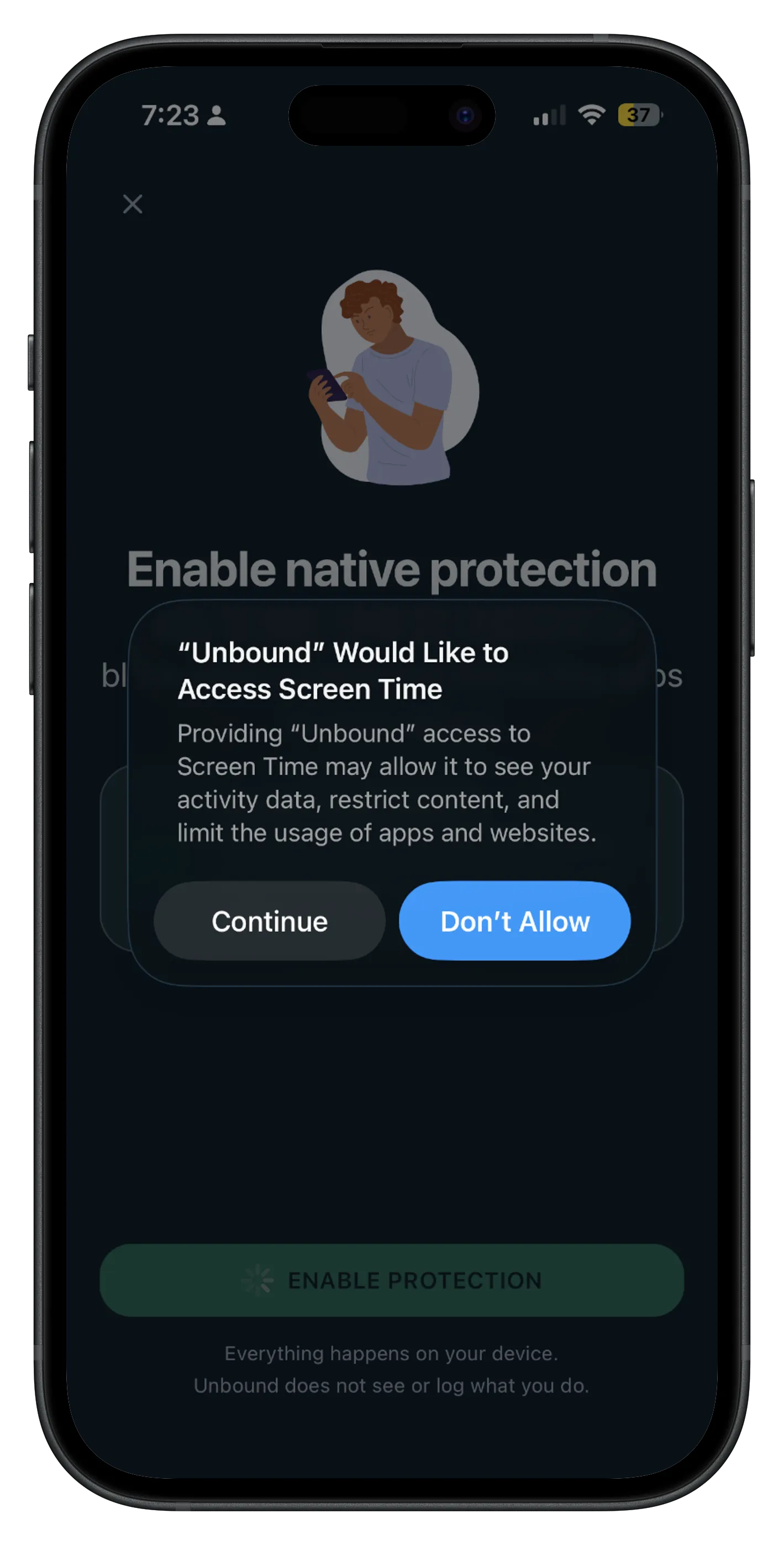
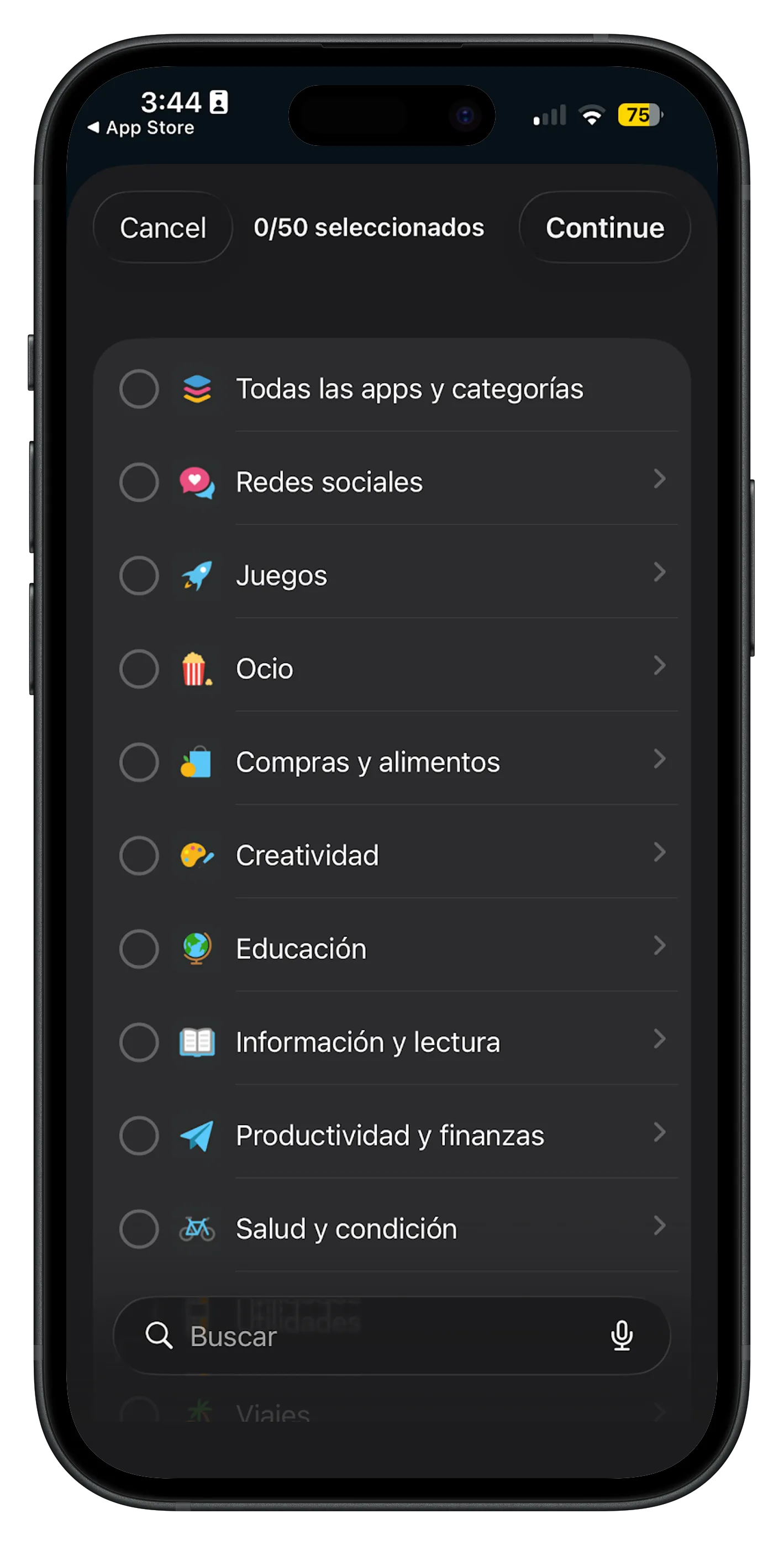
Unbound uses Apple’s Screen Time / Family Controls APIs — ManagedSettings on device — to turn on automatic adult content filtering and optional app blocking during focus sessions or routines.
- Grant Screen Time permission once.
- Activate the system adult content filter.
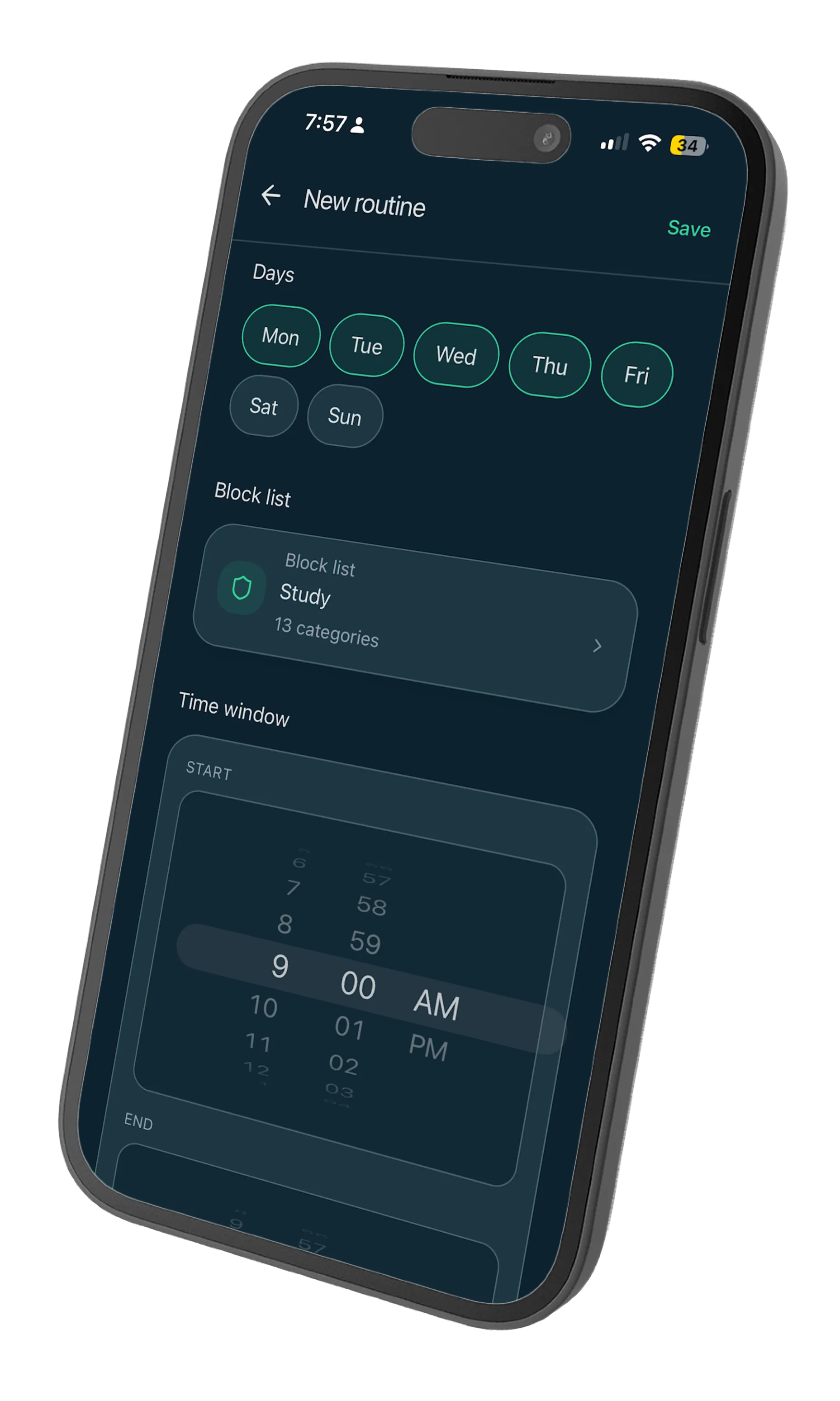
- Add apps that trigger relapses (social, Reddit, browsers if needed) and schedule protected windows.
Everything runs on your device. Unbound doesn’t log what you browse or block.
Unbound vs. list-based blockers (BlockerX, etc.)
| Approach | How it works | Best for |
|---|---|---|
| URL block lists | Custom domains + keywords | Catching specific sites across browsers |
| Accountability / community | Partner alerts, forums | Social support and relapse accountability |
| Native iOS filter (Unbound) | Apple’s system-wide adult filter + app shields | iPhone users who want OS-level enforcement that’s hard to casually bypass |
| Therapy (CBT, etc.) | Professional habit restructuring | Underlying patterns, shame, relationships |
You don’t have to pick one. Many people use native blocking as the floor and add therapy or an accountability partner as needed.
A practical 7-day protocol
Days 1–2: Enable Limit Adult Websites in Screen Time and Unbound’s native filter. Add a Screen Time passcode stored with someone you trust (or a random string you can’t recall from memory).
Days 3–5: Note your top 3 trigger windows (late night, stress after work, boredom on weekends). Create one Unbound routine for the highest-risk window.
Days 6–7: If you relapse, don’t reset the whole plan — tighten one variable (shorter bypass path, longer routine, remove one app from the home screen).
Relapse isn’t proof the approach failed. It’s data about which window still needs structure.
When to get more help
Consider professional support if:
- You can’t reduce use despite multiple blocking setups
- Porn use is affecting work, relationships, or mental health significantly
- You feel unable to stop even when you want to
Digital blockers reduce access. They don’t replace therapy, support groups, or medical care when those are needed.
Start with one protected window
Don’t overhaul your entire digital life on day one. Pick the hour you’re most vulnerable — usually late evening — and make that hour structurally inaccessible to explicit content.
Remove access. Let your brain catch up. Expand from there.